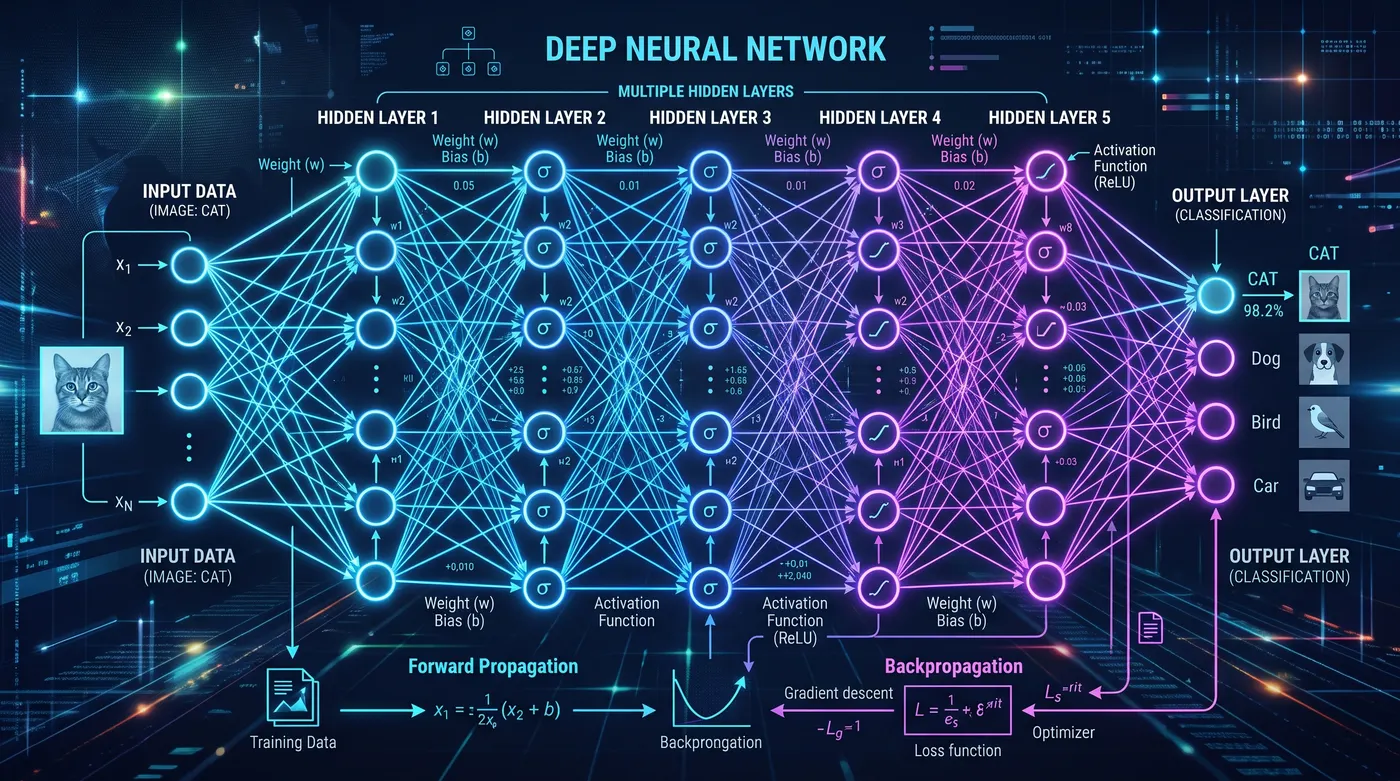
PennyLane’s central idea is simple but powerful: a quantum circuit is a function. It takes parameters as input, produces measurement results as output, and that function is differentiable. This means you can plug quantum circuits into machine learning infrastructure (gradient-based optimizers, automatic differentiation, batching) exactly the same way you plug in a classical neural network layer.
This is not just a clever API design choice. It enables an entire class of algorithms that require gradients of quantum circuits with respect to gate parameters. Variational Quantum Eigensolvers (VQE) use gradients to find molecular ground states. QAOA uses gradients to solve combinatorial optimization problems. Quantum neural networks use gradients in the same way classical neural networks do: backpropagation through parameterized layers. All of these algorithms need to answer the question “if I change this gate angle by a small amount, how does the measurement outcome change?” PennyLane makes that question easy to answer.
Where Qiskit and Cirq treat circuits as programs to compile and run, PennyLane treats them as differentiable functions to train. The same library that runs your circuit on a simulator can compute its gradient with respect to any parameter, and it can do this on real quantum hardware too.
Installation
pip install pennylane
Understanding pennylane.numpy
Before writing any circuits, there is one import convention you need to understand. PennyLane ships its own NumPy wrapper that adds gradient tracking to array operations:
from pennylane import numpy as np
This wraps every NumPy array in a PennyLane tensor object that records operations for automatic differentiation. If you use plain NumPy (import numpy as np), PennyLane cannot differentiate through those array operations. Your gradients will silently return zero or raise errors.
The rule is straightforward: inside or near QNodes (the quantum functions you will define shortly), always use from pennylane import numpy as np. For everything else, like loading datasets, plotting with matplotlib, or processing results after optimization, plain NumPy is fine. When in doubt, use PennyLane’s version. It behaves identically to NumPy for all non-gradient operations, so there is no cost to using it everywhere.
import pennylane as qml
from pennylane import numpy as np  # use this for anything that touches gradients

# plain numpy is fine for non-gradient work
import numpy as vanilla_np  # data loading, plotting, etc.
Your First QNode
In PennyLane, a quantum circuit is a Python function decorated with @qml.qnode. The decorator binds the function to a specific device (simulator or hardware) and makes it callable like any other Python function.
import pennylane as qml
from pennylane import numpy as np

dev = qml.device('default.qubit', wires=2)

@qml.qnode(dev)
def bell_state():
    # Hadamard puts qubit 0 into superposition: |0⟩ -> (|0⟩ + |1⟩)/sqrt(2)
    qml.Hadamard(wires=0)
    # CNOT entangles qubit 1 with qubit 0
    qml.CNOT(wires=[0, 1])
    return qml.probs(wires=[0, 1])

print(bell_state())
# [0.5 0.  0.  0.5]
The result [0.5, 0, 0, 0.5] gives the probability of measuring each computational basis state: |00⟩, |01⟩, |10⟩, and |11⟩. Only the first and last are non-zero because this is the Bell state (|00⟩ + |11⟩)/sqrt(2). The two qubits are perfectly correlated: you will always measure both as 0 or both as 1, never one of each.
How a QNode Works
A QNode is more than a decorator. It is the bridge between your Python function and the quantum device. When you call a QNode, PennyLane performs several steps behind the scenes:
- Tracing: PennyLane executes your Python function symbolically to determine the circuit structure. It records which gates you apply, in what order, and to which wires.
- Compilation: The recorded gate sequence is compiled into a form the target device understands. This may include gate decomposition (breaking unsupported gates into supported ones) and wire mapping.
- Execution: The compiled circuit is sent to the device, which runs it and returns measurement results.
- Gradient recording: PennyLane records the computation graph so it can later compute gradients if you ask for them.
You can inspect a QNode to see what is happening under the hood:
# See which device the QNode is bound to
print(bell_state.device)
# <default.qubit device (wires=2) at 0x...>

# Get detailed specs about the circuit
specs = qml.specs(bell_state)()
print(f"Gate count: {specs['resources'].num_gates}")
print(f"Circuit depth: {specs['resources'].depth}")
print(f"Number of wires: {specs['num_device_wires']}")
The qml.specs function is useful for understanding circuit complexity before sending jobs to real hardware, where execution time and cost scale with circuit depth.
Parameterized Circuit
Any gate angle can be a trainable parameter. Here a single-qubit rotation gate takes a parameter theta:
dev = qml.device('default.qubit', wires=1)

@qml.qnode(dev)
def rotation_circuit(theta):
    # RY rotates the qubit state around the Y-axis of the Bloch sphere
    qml.RY(theta, wires=0)
    return qml.expval(qml.PauliZ(0))

theta = np.array(0.5, requires_grad=True)
print(rotation_circuit(theta))
# 0.8775825618903726
qml.expval(qml.PauliZ(0)) returns the expectation value of the Pauli Z observable. This observable has eigenvalue +1 for |0⟩ and eigenvalue -1 for |1⟩. So the expectation value tells you how much the qubit “leans toward” |0⟩ versus |1⟩:
- At
theta=0, the qubit stays in|0⟩, so the expectation is +1.0. - At
theta=pi, the qubit is rotated to|1⟩, so the expectation is -1.0. - At
theta=pi/2, the qubit is in an equal superposition, so the expectation is 0.0.
The requires_grad=True flag on the parameter tells PennyLane’s NumPy wrapper to track this value for differentiation. Arrays created with pennylane.numpy are trainable by default, so writing the flag out is a way of documenting intent. The flag that changes behaviour is requires_grad=False, which marks a parameter as a constant and hides it from qml.grad.
Measurement Types
PennyLane supports several return types from a QNode, and choosing the right one matters for what you can do with the result. Here is the same circuit measured four different ways:
Expectation value
dev = qml.device('default.qubit', wires=1)

@qml.qnode(dev)
def circuit_expval(theta):
    qml.RY(theta, wires=0)
    return qml.expval(qml.PauliZ(0))

# Returns a single float: the expected value of the observable
print(circuit_expval(np.array(0.5)))
# 0.8775825618903726
Use qml.expval when you need a single scalar to optimize. This is the most common return type for variational algorithms because gradient-based optimizers need a single cost value.
Probabilities
@qml.qnode(dev)
def circuit_probs(theta):
    qml.RY(theta, wires=0)
    return qml.probs(wires=[0])

# Returns a vector: probability of each basis state
print(circuit_probs(np.array(0.5)))
# [0.93879128 0.06120872]
Use qml.probs when you want to see the full probability distribution. The output vector has length 2^n where n is the number of wires you specify. This is useful for visualization and analysis.
Samples
# Sampling requires a finite number of shots. Attach them to the QNode with the
# set_shots transform; passing shots=... to qml.device is deprecated.
@qml.set_shots(shots=10)
@qml.qnode(dev)
def circuit_sample(theta):
    qml.RY(theta, wires=0)
    return qml.sample(qml.PauliZ(0))

# Returns raw measurement outcomes from repeated execution
print(circuit_sample(np.array(0.5)))
# [ 1.  1.  1.  1.  1.  1.  1. -1.  1.  1.]  (results vary each run)
Use qml.sample when you want to simulate or observe the statistical nature of quantum measurement. Each entry is a single-shot measurement outcome. This requires a finite shot count, which you attach to the QNode with the qml.set_shots transform. Without it, PennyLane runs in exact (analytic) mode and sampling is not available. Older tutorials set shots on the device itself (qml.device('default.qubit', wires=1, shots=10)); that still works but is deprecated, and PennyLane will warn you.
State vector
@qml.qnode(dev)
def circuit_state(theta):
    qml.RY(theta, wires=0)
    return qml.state()

# Returns the full quantum state as a complex vector
print(circuit_state(np.array(0.5)))
# [0.96891242+0.j 0.24740396+0.j]
Use qml.state when you need the amplitudes directly. This is only available on simulators, since real hardware cannot reveal the full quantum state. It is useful for debugging and verifying that your circuit produces the state you expect.
Computing Gradients
This is where PennyLane earns its reputation. One call to qml.grad gives you the gradient of the circuit output with respect to any parameter:
dev = qml.device('default.qubit', wires=1)

@qml.qnode(dev)
def rotation_circuit(theta):
    qml.RY(theta, wires=0)
    return qml.expval(qml.PauliZ(0))

grad_fn = qml.grad(rotation_circuit)
theta = np.array(0.5, requires_grad=True)
gradient = grad_fn(theta)
print(gradient)
# -0.479425538604203
Under the hood PennyLane uses the parameter-shift rule to compute this gradient. Understanding why this matters, and how it works, is worth a closer look.
The Parameter-Shift Rule
The obvious way to estimate a gradient is finite differences: evaluate the function at theta and at theta + epsilon for some small epsilon, then divide the difference by epsilon. This works fine on a classical computer where function evaluations are exact. On quantum hardware, every measurement has shot noise, and that noise is much larger than the tiny epsilon you need for accurate finite differences. The gradient estimate drowns in noise.
The parameter-shift rule solves this problem. For gates of the form exp(-i * theta * G / 2) where G is a generator with two eigenvalues (which covers RX, RY, RZ, and most common parameterized gates), the exact gradient is:
df/dtheta = (f(theta + pi/2) - f(theta - pi/2)) / 2
This is not an approximation. It is mathematically exact. And the shifts of +pi/2 and -pi/2 are large enough that the difference in circuit output is well above hardware noise levels. You only need two circuit evaluations per parameter, and each evaluation runs at the same shot count as your original circuit.
Let’s verify this by implementing the parameter-shift rule by hand and comparing it to qml.grad:
dev = qml.device('default.qubit', wires=1)

@qml.qnode(dev)
def circuit(theta):
    qml.RY(theta, wires=0)
    return qml.expval(qml.PauliZ(0))

theta = np.array(0.8, requires_grad=True)

# Manual parameter-shift rule
shift = np.pi / 2
grad_manual = (circuit(theta + shift) - circuit(theta - shift)) / 2

# PennyLane's built-in gradient
grad_auto = qml.grad(circuit)(theta)

print(f"Manual parameter-shift gradient:  {grad_manual:.10f}")
print(f"PennyLane qml.grad gradient:      {grad_auto:.10f}")
# Manual parameter-shift gradient:  -0.7173560909
# PennyLane qml.grad gradient:      -0.7173560909
The values match exactly. When you call qml.grad, PennyLane is doing exactly this calculation for each parameter in your circuit. For a circuit with n parameters, this requires 2n circuit evaluations to get the full gradient vector.
This is what makes PennyLane hardware-compatible. You can compute gradients on a real quantum processor using the same qml.grad call you use on a simulator. PennyLane handles the shift, the two circuit evaluations, and the arithmetic for you.
Gradient Descent
You can optimize a circuit the same way you train a neural network. Here we minimize the expectation value of Pauli Z by adjusting a rotation angle:
dev = qml.device('default.qubit', wires=1)

@qml.qnode(dev)
def cost(theta):
    qml.RY(theta, wires=0)
    return qml.expval(qml.PauliZ(0))

theta = np.array(1.0, requires_grad=True)
opt = qml.GradientDescentOptimizer(stepsize=0.3)

for step in range(20):
    theta, cost_val = opt.step_and_cost(cost, theta)
    grad_val = qml.grad(cost)(theta)
    if step % 5 == 0:
        print(f"Step {step:2d}: cost={cost_val:.6f}, theta={theta:.4f}, grad={grad_val:.6f}")

# Step  0: cost=0.540302, theta=1.2524, grad=-0.949752
# Step  5: cost=-0.724742, theta=2.5882, grad=-0.525608
# Step 10: cost=-0.990438, theta=3.0446, grad=-0.096858
# Step 15: cost=-0.999728, theta=3.1253, grad=-0.016325
There are several things to notice here:
Why does the cost converge to -1.0? The Pauli Z observable has eigenvalues +1 (for state |0⟩) and -1 (for state |1⟩). The minimum possible expectation value is -1.0, achieved when the qubit is fully in the |1⟩ state. RY(theta)|0⟩ has expectation value cos(theta), so the optimizer drives theta toward pi (approximately 3.1416 radians), where the qubit sits in |1⟩.
Watch the gradient go to zero. At convergence, the gradient is essentially zero. This confirms that the optimizer has found a stationary point. In this simple case, the landscape is convex, so the stationary point is the global minimum.
The step size matters. A step size of 0.3 converges in roughly 15 steps here. Too large and you overshoot; too small and convergence is slow. For more complex cost landscapes with noise or many local minima, consider using qml.AdamOptimizer, which adapts the learning rate during training:
opt = qml.AdamOptimizer(stepsize=0.1)
Adam tends to perform better than vanilla gradient descent on noisy or rugged landscapes, which is common in variational quantum algorithms with many parameters.
Two-Qubit Entanglement
dev = qml.device('default.qubit', wires=2)

@qml.qnode(dev)
def entangled(phi):
    # Create a Bell state
    qml.Hadamard(wires=0)
    qml.CNOT(wires=[0, 1])
    # Apply a parameterized rotation to qubit 0
    qml.RY(phi, wires=0)
    return qml.expval(qml.PauliZ(0) @ qml.PauliZ(1))

# @ between observables means tensor product
# PauliZ(0) @ PauliZ(1) measures ZZ correlation
print(entangled(np.array(0.0)))   # 0.9999999999999998  (qubits correlated)
print(entangled(np.array(3.14)))  # -0.9999987317275394 (qubits anti-correlated)
The @ operator between observables creates a tensor product measurement. PauliZ(0) @ PauliZ(1) measures the correlation between the two qubits: +1 means they agree (both |0⟩ or both |1⟩), and -1 means they disagree. The RY rotation on qubit 0 continuously tunes this correlation, and because the qubits are entangled, rotating one affects the joint measurement outcome. Note that the rotation has to move the qubit out of the Z basis to have any effect here: an RZ gate would commute with the PauliZ(0) @ PauliZ(1) observable and leave the correlation at +1 for every value of phi.
Drawing the Circuit
PennyLane provides two ways to visualize circuits. The text-based version is useful for quick inspection in a terminal:
print(qml.draw(rotation_circuit)(np.array(0.5)))
0: ──RY(0.50)─┤ <Z>
For publication-quality figures, use the matplotlib drawer:
fig, ax = qml.draw_mpl(rotation_circuit)(np.array(0.5))
fig.savefig('circuit.png')
Backends
Switch backends by changing the device string. Your circuit code stays identical:
# Default statevector simulator (exact, pure Python)
dev = qml.device('default.qubit', wires=2)

# Lightning: C++ accelerated simulator (fast for larger circuits)
dev = qml.device('lightning.qubit', wires=2)

# Via Qiskit Aer (requires: pip install pennylane-qiskit)
# dev = qml.device('qiskit.aer', wires=2)

# IBM hardware (requires pennylane-qiskit + IBM account)
# dev = qml.device('qiskit.ibmq', wires=2, backend='ibm_nairobi')
This device-agnostic design means you can develop and debug on a simulator, then swap in a hardware device for the final run without changing your circuit code. The gradient computation works the same way regardless of backend: PennyLane applies the parameter-shift rule through whatever device you specify.
Common Mistakes
These are errors that catch most PennyLane beginners. Knowing them in advance saves you debugging time.
Using plain NumPy instead of PennyLane’s NumPy
# WRONG: with `import numpy as np`, plain NumPy has no idea what
# requires_grad means. Here the plain module is aliased to vanilla_np so the
# rest of this tutorial keeps working.
import numpy as vanilla_np

try:
    theta = vanilla_np.array(0.5, requires_grad=True)
except TypeError as err:
    print(f"plain NumPy: {err}")
# plain NumPy: array() got an unexpected keyword argument 'requires_grad'

# CORRECT: use PennyLane's wrapped NumPy
from pennylane import numpy as np
theta = np.array(0.5, requires_grad=True)
print(f"PennyLane NumPy: requires_grad={theta.requires_grad}")
# PennyLane NumPy: requires_grad=True
Plain NumPy arrays do not support gradient tracking, and np.array rejects the keyword outright. PennyLane’s wrapper adds this capability while keeping the entire NumPy API intact.
Marking a parameter as non-trainable by accident
grad_fn = qml.grad(circuit)

# PennyLane's arrays are trainable by default
theta = np.array(0.5)
print(grad_fn(theta))
# -0.479425538604203

# WRONG: requires_grad=False (or handing the QNode a plain NumPy array) leaves
# nothing to differentiate. PennyLane warns and returns an empty gradient.
theta_fixed = np.array(0.5, requires_grad=False)
print(grad_fn(theta_fixed))
# ()

# CORRECT: keep the parameter trainable
theta = np.array(0.5, requires_grad=True)
print(grad_fn(theta))
# -0.479425538604203
This is particularly tricky because PennyLane does not raise an error. It emits a “no trainable parameters” warning and hands back an empty gradient, which makes your optimizer do nothing.
Returning multiple measurements without understanding the cost
Each measurement return in a QNode corresponds to a separate expectation value that PennyLane must compute. When you use the parameter-shift rule, each measurement doubles the number of circuit evaluations needed for the gradient. A QNode returning 5 expectation values requires 5 times as many circuit runs for gradient computation as a QNode returning 1. This matters when running on real hardware where each circuit execution costs time and money.
# Each return value adds circuit evaluations for gradient computation
@qml.qnode(dev)
def multi_measure(theta):
    qml.RY(theta, wires=0)
    # Three separate expectation values = 3x the gradient cost
    return qml.expval(qml.PauliX(0)), qml.expval(qml.PauliY(0)), qml.expval(qml.PauliZ(0))
Only return the measurements you actually need. If you need multiple observables for analysis but only optimize one of them, consider using separate QNodes.
Trying to differentiate through qml.probs in certain interfaces
qml.probs returns a probability vector, not a scalar. Gradient-based optimizers expect a scalar cost function. If you need probabilities for visualization, compute them in a separate QNode from your optimization target.
# For optimization: return a scalar expectation value
@qml.qnode(dev)
def cost_fn(theta):
    qml.RY(theta, wires=0)
    return qml.expval(qml.PauliZ(0))

# For visualization: return probabilities in a separate QNode
@qml.qnode(dev)
def viz_fn(theta):
    qml.RY(theta, wires=0)
    return qml.probs(wires=[0])
What to Try Next
Once you are comfortable with the basics covered here, PennyLane’s documentation offers tutorials that build directly on these concepts:
- A Variational Quantum Eigensolver (VQE): Use parameterized circuits to find the ground-state energy of a molecule. This is one of the most promising near-term applications of quantum computing, and it uses exactly the gradient descent workflow you learned here.
- QAOA for MaxCut: Apply the Quantum Approximate Optimization Algorithm to a graph optimization problem. QAOA alternates between two parameterized layers and optimizes their angles, combining ideas from quantum annealing with variational circuits.
- Quantum Transfer Learning: Replace the final layers of a pretrained classical neural network with a variational quantum circuit. This tutorial shows how PennyLane integrates with PyTorch, letting quantum and classical layers coexist in the same model.
- Barren Plateaus: Understand why randomly initialized variational circuits can have vanishing gradients, and learn strategies to avoid this problem. Essential reading before building larger variational circuits.
- Check the PennyLane Reference for a full API cheat sheet covering gates, devices, and optimizers.