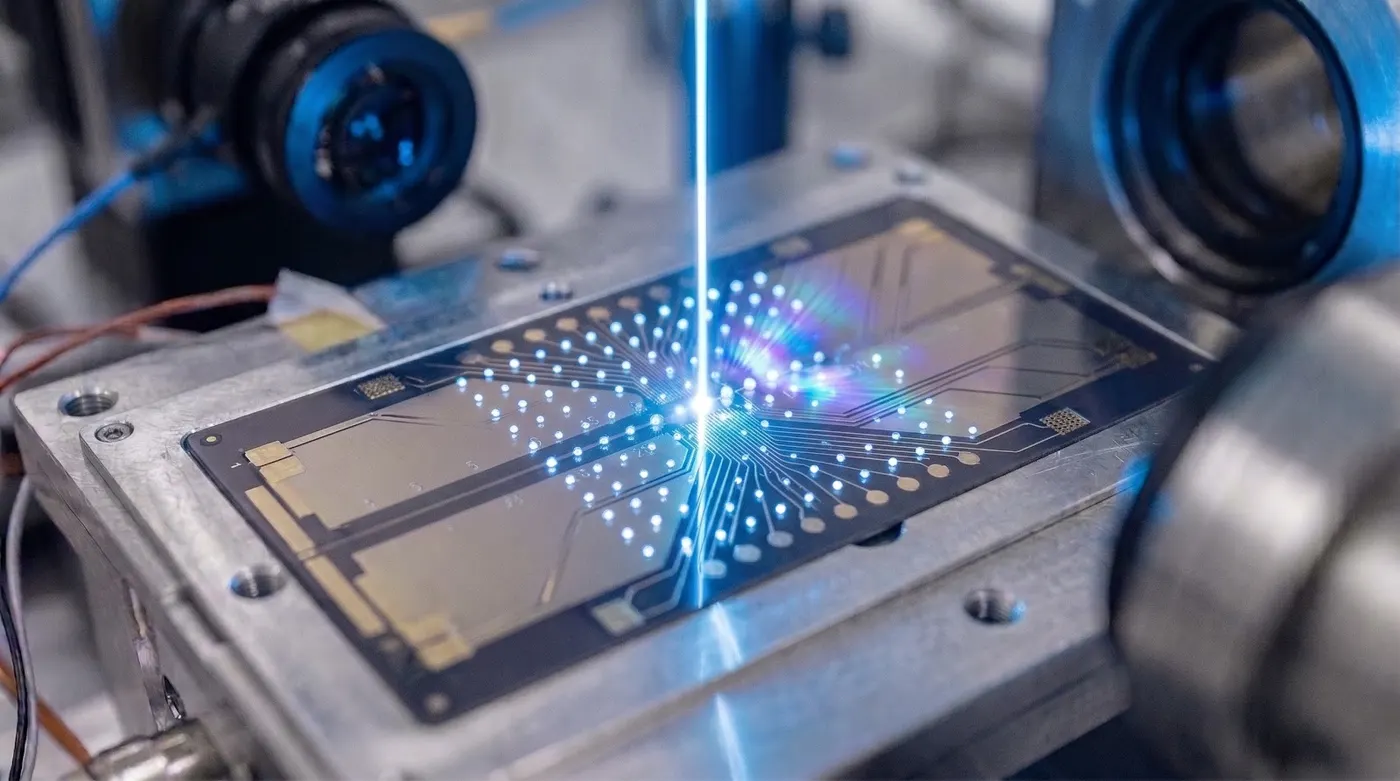
Amazon Braket’s Hardware Ecosystem
Amazon Braket provides access to quantum hardware from multiple providers through a unified API. Rather than learning a different SDK for each vendor, you write circuits once and route them to different backends by changing a device ARN. This makes Braket an ideal platform for hardware comparison studies.
As of mid-2026, the hardware providers available through Braket include:
| Provider | Device | Technology | Qubits |
|---|---|---|---|
| IonQ | Forte-1, Forte-Enterprise-1 | Trapped ion | 36 |
| Rigetti | Ankaa-3 | Superconducting | 84 |
| Rigetti | Cepheus-1-108Q | Superconducting | 108 |
| IQM | Garnet | Superconducting | 20 |
| IQM | Emerald | Superconducting | 54 |
| AQT | IBEX-Q1 | Trapped ion | 12 |
| QuEra | Aquila | Neutral atom (analog) | 256 |
The lineup changes regularly: OQC Lucy left the platform in 2024, IonQ’s Harmony and Aria devices have been retired or moved off Braket, and Rigetti’s Ankaa-2 was replaced by Ankaa-3 and then the Cepheus generation. Always confirm the current list with AwsDevice.get_devices() or the Braket console.
QuEra’s Aquila is an analog device and uses a different programming model (Hamiltonian evolution rather than gate sequences), so most of this tutorial focuses on gate-based comparisons across IonQ, Rigetti, and IQM.
Setup
pip install amazon-braket-sdk boto3
from braket.aws import AwsDevice, AwsQuantumTask
from braket.circuits import Circuit, Gate, Qubit
from braket.devices import LocalSimulator
import json
import time
Querying Device Properties
Before running anything, inspect each device’s capabilities:
device_arns = {
    "IonQ Forte-1":    "arn:aws:braket:us-east-1::device/qpu/ionq/Forte-1",
    "Rigetti Ankaa-3": "arn:aws:braket:us-west-1::device/qpu/rigetti/Ankaa-3",
    "IQM Garnet":      "arn:aws:braket:eu-north-1::device/qpu/iqm/Garnet",
}

for name, arn in device_arns.items():
    try:
        device = AwsDevice(arn)
        props = device.properties
        print(f"\n=== {name} ===")
        print(f"  Status:           {device.status}")
        print(f"  Paradigm:         {props.paradigm}")
        if hasattr(props, 'provider'):
            print(f"  Provider:         {props.provider}")
    except Exception as e:
        print(f"{name}: {e}")
Native Gate Sets
Different hardware technologies support different native gates. Understanding native gate sets matters because gates not in the native set are compiled into multiple native gates, increasing circuit depth and error.
def print_native_gates(device_arn: str, label: str):
    device = AwsDevice(device_arn)
    try:
        gates = device.properties.paradigm.nativeGateSet
        print(f"{label}: {gates}")
    except AttributeError:
        print(f"{label}: gate set info not available in this API version")

# IonQ: native set includes GPI, GPI2, and an entangling gate (MS on Aria-class, ZZ on Forte-class)
# Rigetti: native set is {RZ, RX, CZ, ISWAP}
# IQM: native set is {PRX, CZ}
for name, arn in device_arns.items():
    print_native_gates(arn, name)
IonQ Forte uses laser-driven entangling gates between any pair of ions, so the device is all-to-all connected. Any two qubits can be entangled without routing.
Rigetti Ankaa-3 uses a fixed square-lattice topology. Two-qubit gates are only directly available between connected pairs, so arbitrary connectivity requires SWAP insertion.
IQM Garnet is a 20-qubit superconducting device with a square-lattice topology and CZ as the native two-qubit gate.
Inspecting Connectivity and Calibration Data
def print_connectivity(device_arn: str, label: str):
    device = AwsDevice(device_arn)
    try:
        connectivity = device.properties.paradigm.connectivity
        print(f"\n{label} connectivity:")
        print(f"  Fully connected: {connectivity.fullyConnected}")
        if not connectivity.fullyConnected:
            graph = connectivity.connectivityGraph
            print(f"  Edges (sample): {list(graph.items())[:5]}")
    except Exception as e:
        print(f"{label}: {e}")

for name, arn in device_arns.items():
    print_connectivity(arn, name)
Calibration data (T1, T2, gate fidelities) can be retrieved where available:
def print_calibration(device_arn: str, label: str):
    device = AwsDevice(device_arn)
    try:
        cal = device.properties.provider.specs
        # Print a subset of calibration data
        for qubit_id, qubit_data in list(cal.items())[:2]:
            print(f"  Qubit {qubit_id}: {qubit_data}")
    except Exception:
        print(f"  {label}: calibration data format varies by provider")
The Benchmark Circuit: GHZ State
We use a 3-qubit GHZ state as the benchmark. It is simple enough to run on all gate-based devices but sensitive enough to two-qubit gate errors that it discriminates between hardware quality levels.
def ghz_circuit(n_qubits: int = 3) -> Circuit:
    """Build an n-qubit GHZ state circuit."""
    circ = Circuit()
    circ.h(0)
    for i in range(n_qubits - 1):
        circ.cnot(i, i + 1)
    circ.probability()  # measure all qubits, return probabilities
    return circ

ghz = ghz_circuit(3)
print(ghz)
For an ideal 3-qubit GHZ state, the only outcomes are 000 and 111, each with probability 0.5. Any other outcome is a hardware error.
Ideal Fidelity Metric
We define GHZ fidelity as the total probability in the correct outcomes:
def ghz_fidelity(result_dict: dict, n_qubits: int) -> float:
    """Compute GHZ fidelity from measurement counts."""
    total = sum(result_dict.values())
    correct_states = {"0" * n_qubits, "1" * n_qubits}
    correct_counts = sum(result_dict.get(s, 0) for s in correct_states)
    return correct_counts / total

# Simulate ideal result
local_sim = LocalSimulator()
ideal_task = local_sim.run(ghz_circuit(3), shots=1000)
ideal_result = ideal_task.result()
ideal_counts = ideal_result.measurement_counts
print(f"Ideal GHZ fidelity: {ghz_fidelity(ideal_counts, 3):.4f}")
Running on Hardware (Asynchronous)
Braket tasks are asynchronous. Submit tasks and retrieve results later:
def submit_ghz(device_arn: str, shots: int = 200):
    """Submit a GHZ benchmark task and return the task object."""
    device = AwsDevice(device_arn)
    circ = ghz_circuit(3)
    # Use the first 3 qubits; IQM Garnet has 20, Rigetti has more
    task = device.run(circ, shots=shots)
    print(f"Submitted to {device_arn.split('/')[-1]}: task ARN = {task.id}")
    return task

# Submit to all devices (costs real money - use with caution)
# tasks = {name: submit_ghz(arn) for name, arn in device_arns.items()}

# Retrieve results (poll until complete)
# results = {}
# for name, task in tasks.items():
#     results[name] = task.result()
#     print(f"{name} fidelity: {ghz_fidelity(results[name].measurement_counts, 3):.4f}")
Simulating Different Device Noise Levels
Since running on real hardware costs money and requires queue time, we can use Braket’s noise simulators to compare device characteristics locally:
from braket.circuits import Circuit
from braket.devices import LocalSimulator
from braket.circuits.noise import Depolarizing, BitFlip

def simulate_with_noise(two_q_error: float, readout_error: float,
                        shots: int = 2000) -> float:
    """Simulate GHZ circuit with specified noise and return fidelity."""
    circ = Circuit()
    circ.h(0)
    circ.cnot(0, 1)
    circ.cnot(1, 2)

    # Add two-qubit depolarizing noise after each CNOT
    circ.depolarizing(0, two_q_error)
    circ.depolarizing(1, two_q_error)

    # Add readout bit-flip noise
    for q in range(3):
        circ.bit_flip(q, readout_error)

    circ.probability()

    sim = LocalSimulator("braket_dm")  # density matrix simulator
    task = sim.run(circ, shots=shots)
    counts = task.result().measurement_counts
    return ghz_fidelity(counts, 3)

# Compare noise profiles representative of each hardware type
# (illustrative error rates; pull current calibration data from device properties)
noise_profiles = {
    "IonQ Forte (ion trap)":     (0.003, 0.003),   # very low gate error, moderate readout
    "Rigetti Ankaa-3 (sc)":      (0.010, 0.005),   # higher gate error, low readout
    "IQM Garnet (sc)":           (0.005, 0.008),   # moderate gate error
    "Noisy reference":           (0.050, 0.020),
}

print("GHZ Fidelity by Device Profile:")
for name, (gate_err, readout_err) in noise_profiles.items():
    fidelity = simulate_with_noise(gate_err, readout_err)
    print(f"  {name:<35}: {fidelity:.4f}")
Pricing and Latency Comparison
Pricing on Braket follows a task-plus-shot model: every QPU charges $0.30 per task, plus a per-shot fee that varies by device. Per the AWS Braket pricing page (mid-2026):
| Device | Per-task fee | Per-shot fee |
|---|---|---|
| IonQ Forte | $0.30 | $0.08 |
| Rigetti Cepheus-1-108Q | $0.30 | $0.000425 |
| IQM Garnet | $0.30 | $0.00145 |
| IQM Emerald | $0.30 | $0.0016 |
| AQT IBEX-Q1 | $0.30 | $0.0235 |
| QuEra Aquila | $0.30 | $0.01 |
Queue times vary from minutes to hours depending on the device’s availability windows. Prices change as devices come and go, so check the AWS Braket pricing page before budgeting a run.
Key cost observations:
- Rigetti and IQM are cheapest per shot by a wide margin, making them cost-effective for large shot counts.
- IonQ has the highest per-shot cost but often requires fewer shots due to lower gate and readout error.
- QuEra Aquila prices per shot like the gate-based devices, but each “shot” is one run of an analog Hamiltonian evolution program rather than a gate circuit.
Choosing the Right Hardware
| Workload | Best Choice | Reason |
|---|---|---|
| High-fidelity small circuits | IonQ Forte | All-to-all connectivity, low gate error |
| Large qubit count, superconducting | Rigetti Cepheus-1-108Q | 108 qubits, fast repetition rate |
| Combinatorial optimization (QAOA) | Rigetti Cepheus-1-108Q | Low per-shot cost, many shots affordable |
| Neutral atom arrays, analog | QuEra Aquila | Programmable Rydberg Hamiltonian, 256 sites |
| Rapid prototyping, low per-shot cost | IQM Garnet | Cheap shots, 20-qubit square lattice |
The same circuit on every Braket device
- Braket’s unified API lets you benchmark the same circuit across all hardware with minimal code changes.
- Gate sets and connectivity differ fundamentally between trapped ion (all-to-all, laser-driven entangling gates) and superconducting (fixed topology, CZ gates) devices.
- GHZ fidelity is a simple, interpretable benchmark that scales to larger qubit counts.
- Pricing is task-based plus per-shot; for shot-intensive workloads, Rigetti and IQM offer the best economics.
- QuEra Aquila’s analog model is suited for combinatorial problems posed as Rydberg Hamiltonians rather than gate sequences.